
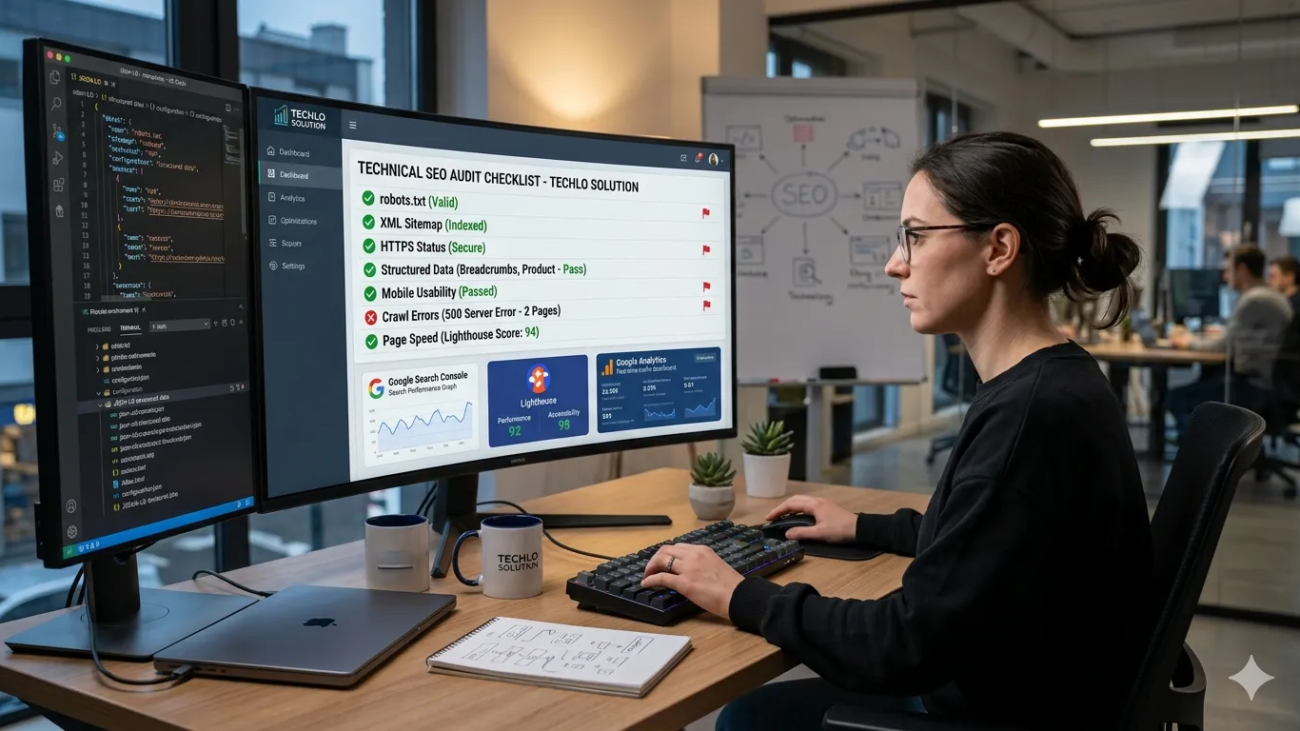
Are you a developer in the United States tired of building beautiful websites that no one can find on Google?
You pour hours into clean code, responsive designs, and modern frameworks—only to watch competitors rank higher with simpler sites. The secret isn’t more content or backlinks. It’s technical SEO for developers.
In 2026, Google’s algorithms reward sites that are fast, crawl able, and user-friendly right from the foundation. Technical SEO isn’t just for SEO experts anymore. As a developer, you control the code that makes search engines love (or ignore) your site. Whether you work on e-commerce platforms in New York, SaaS tools in Silicon Valley, or local business sites in Texas, mastering these basics can boost your organic traffic from U.S. users dramatically.
Everything is explained in plain English in this guide. No jargon overload. You’ll get actionable steps, real examples, and 2026 trends tailored for U.S. developers. By the end, you’ll have a complete technical SEO checklist for developers to audit and improve any site. Let’s dive in and turn your code into a search engine magnet.
What Is Technical SEO and Why It Matters for Developers in the United States
Technical SEO covers the behind-the-scenes elements that help search engines crawl, index, and rank your website. Think of it as the foundation of a house: without it, even the best content collapses.
For U.S. developers, it’s especially important. Google dominates search in America, and users expect lightning-fast experiences. Slow sites lose visitors—and rankings. Studies show that a one-second delay in page load time can drop conversions by 7% or more. In a competitive U.S. market, technical SEO for developers gives you the edge.
Key benefits include:
- Better crawl ability so Google bot finds every important page.
- Improved user experience that boosts Core Web Vitals scores.
- Higher rankings for local and national searches.
In 2026, technical SEO best practices focus on AI-ready sites, mobile-first indexing, and performance that delights real users.

Your Complete Technical SEO Checklist for Developers
Start here. This technical SEO checklist for developers covers the must-do items:
- Audit crawlability and indexing issues.
- Optimize site speed and Core Web Vitals.
- Fix robots.txt and XML sitemaps.
- Implement structured data.
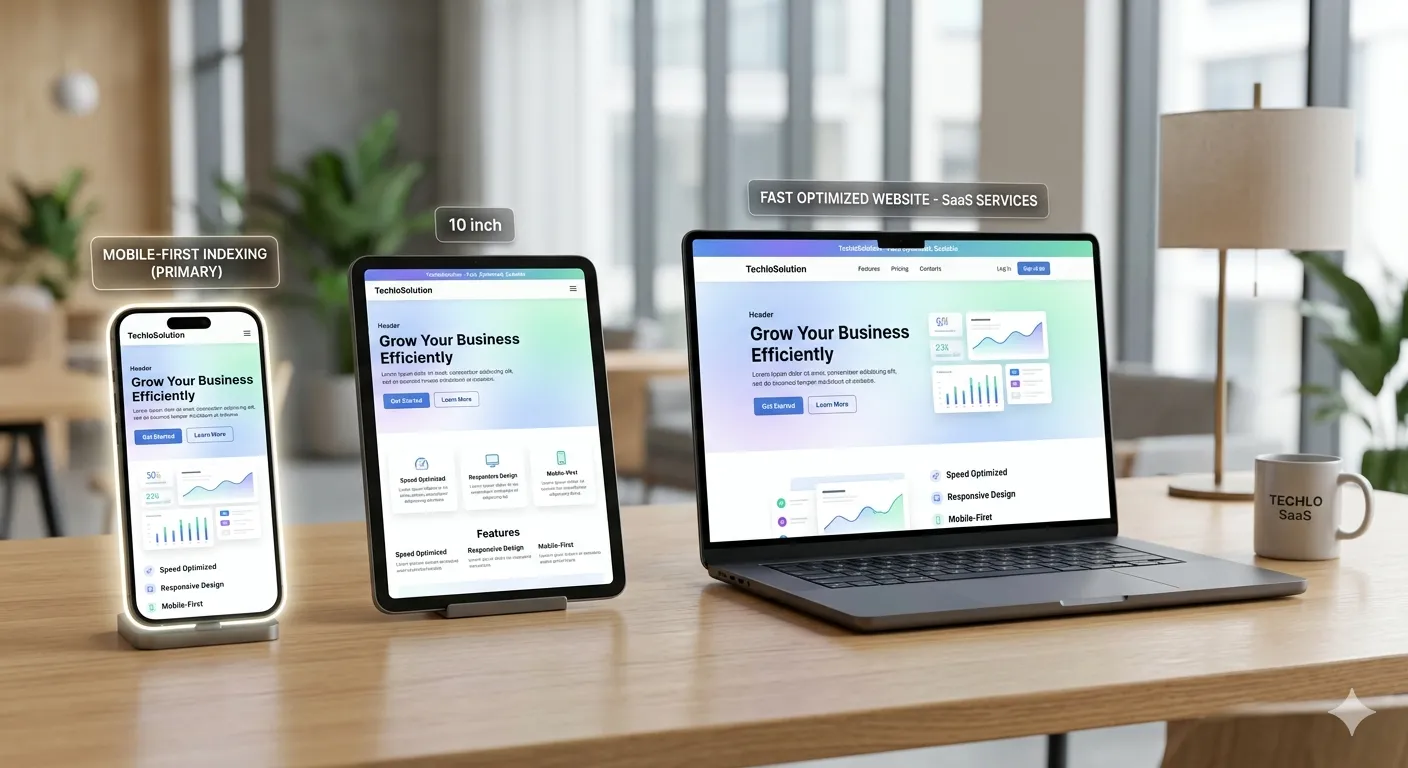
- Ensure mobile-first design.
- Secure with HTTPS.
- Clean up duplicate content and canonical tags.
- Build smart internal links.
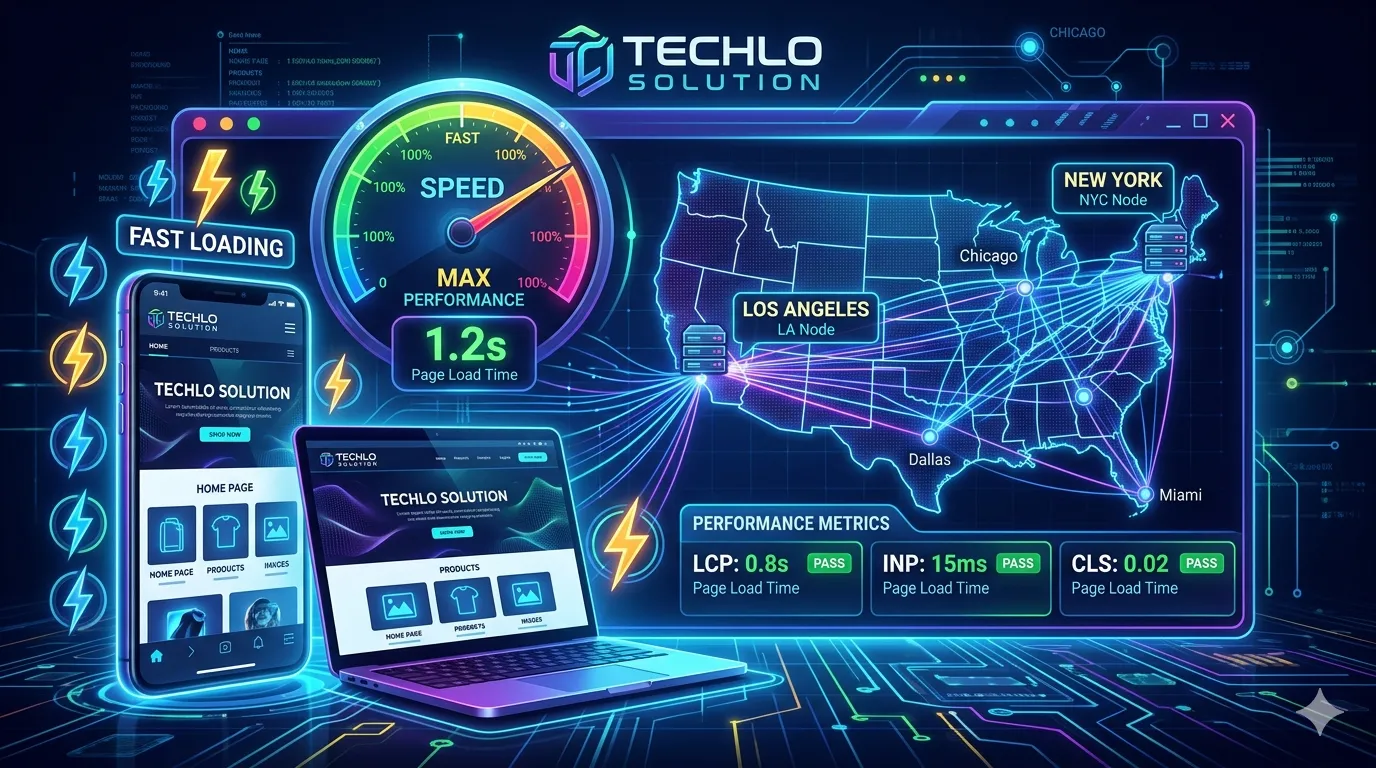
Run this checklist quarterly using free tools like Google Search Console. U.S.-based sites benefit extra from CDNs with edge servers in major cities like Los Angeles or Chicago for lower latency.
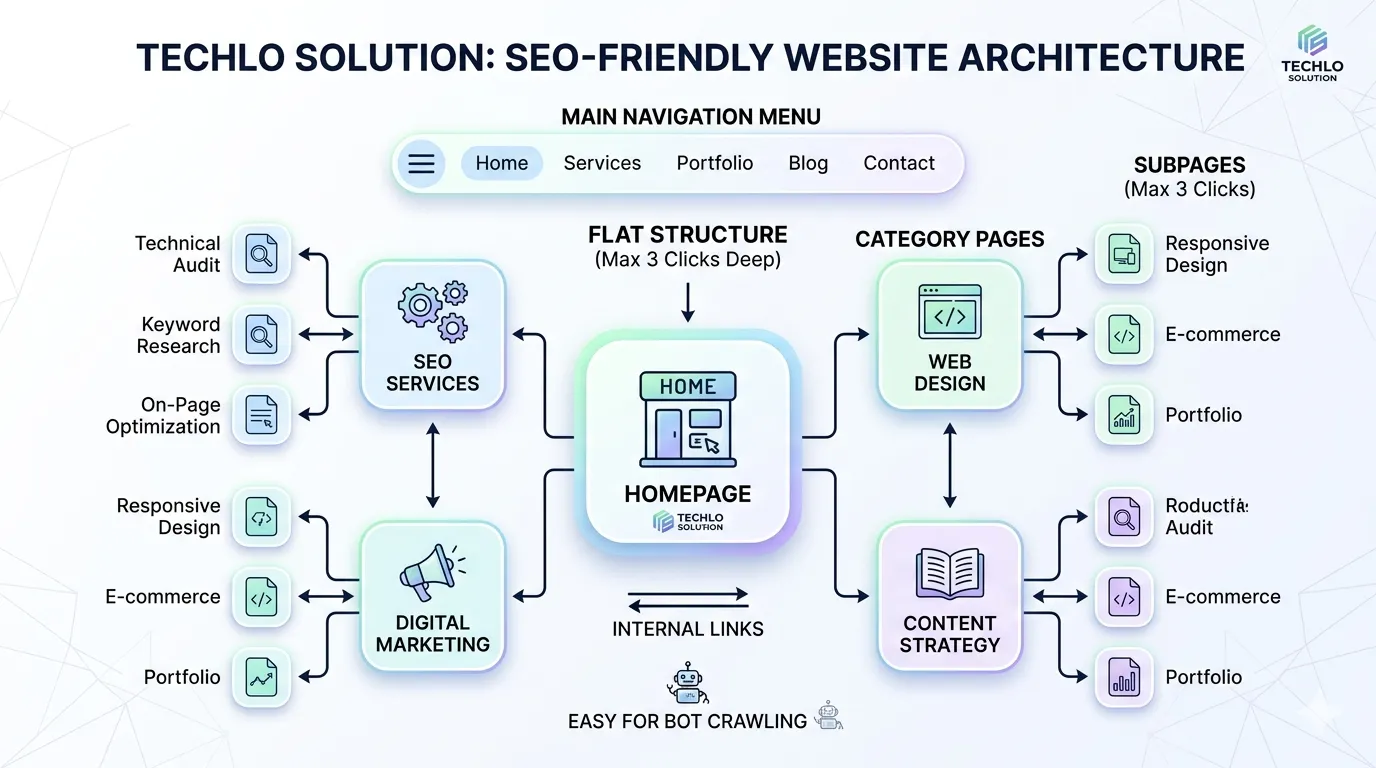
Building an SEO-Friendly Website Architecture
SEO-friendly website architecture makes it easy for users and crawlers to navigate. Flat structures (pages no more than three clicks from home) help Google understand your site’s hierarchy.
Actionable tips:
- Use clear URL structures like yourdomain.com/category/product-name.
- Steer clear of dynamic factors that mislead crawlers and deep nesting.
- Create logical categories and subcategories.
For U.S. developers working on large sites, this prevents orphan pages—content Google never discovers. Test with a site crawl tool to visualize your architecture.
Robots.txt File Configuration Guide
Search engines are instructed which pages to crawl or ignore by your robots.txt file. A small mistake here can block your entire site!
Best practices for 2026:
- Allow Google bot access to key pages.
- Block admin areas, duplicates, or thin content.
Example for a WordPress site:
text
User-agent: *
Disallow: /wp-admin/
Allow: /wp-admin/admin-ajax.php
- Sitemap: https://yourdomain.com/sitemap.xml
Always test in Google Search Console. U.S. developers often overlook this during site launches—don’t let it tank your crawl budget.
XML Sitemap Optimization Best Practices
Google uses an XML sitemap as a route map. It lists all important URLs and helps with faster indexing.
Optimization tips:
- Keep it under 50,000 URLs per file (split if needed).
- Include only canonical versions.
- Update automatically after new content.
- Submit via Google Search Console.
Prioritize high-value pages like product or blog posts. For U.S. e-commerce sites, this ensures seasonal pages get crawled quickly.
How to Improve Website Crawl ability
Search engine crawling and indexing start with accessibility. Improve website crawl ability by removing roadblocks.
Steps to take:
- Fix broken links and redirect chains.
- Use proper server response codes (301 for permanent redirects, 404 for true not-found pages).
- Ensure no index tags are only on pages you truly want hidden.
Log file analysis for SEO reveals how Google bot behaves on your site. Tools like Screaming Frog help U.S. developers spot crawl budget waste.
Fixing Crawl Errors in Google Search Console
Google Search Console is your best friend for spotting issues. Common crawl errors include 404s, server errors, and blocked resources.
Step-by-step fix guide:
- Go to the Pages report.
- Sort by errors or “Crawled – currently not indexed.”
- Fix root causes (e.g., server overload, missing resources).
- Request indexing for fixed pages.
In the U.S., where mobile traffic dominates, ensure errors don’t affect mobile crawlers. Regular fixes here can recover lost rankings fast.
Site Speed Optimization Techniques That Deliver Results
Page speed is a confirmed ranking factor. In 2026, users in the U.S. abandon slow sites instantly.
Proven site speed optimization techniques:
- Compress images and use next-gen formats (Web, AVIF).
- Enable browser caching and CDN usage for SEO performance.
- Minify CSS, JavaScript, and HTML.
- Fix render-blocking resources.
- Implement lazy loading images SEO.
DNS lookup time optimization and choosing U.S.-based hosting cut latency. Test with Google Page Speed Insights—aim for scores above 90.
Core Web Vitals Optimization Guide
Core Web Vitals measure real user experience: Largest Contentful Paint (LCP), Interaction to Next Paint (INP), and Cumulative Layout Shift (CLS).
2026 thresholds (good):
- LCP: under 2.5 seconds
- INP: under 200ms
- CLS: under 0.1
Optimization strategies:
- For LCP: Optimize server response time and remove render-blocking resources.
- For INP: Reduce JavaScript execution time.
- For CLS: Set image dimensions and avoid font swaps.
U.S. developers see big wins here—good Core Web Vitals can boost conversions by 24%. Use Page Speed Insights for targeted fixes.
Mobile-First Indexing Optimization
Google uses mobile-first indexing since 2019, and it’s stricter in 2026. Your mobile version must match desktop content and speed.
Tips for success:
- Use responsive design.
- Test with Google’s Mobile-Friendly Test.
- Ensure parity in content, links, and schema.
For U.S. audiences on smartphones, this is non-negotiable. AMP vs non-AMP performance favors modern responsive sites over old AMP pages.
JavaScript SEO for Developers
Many modern sites rely on JavaScript frameworks like React or Next.js. JavaScript SEO for developers means ensuring crawlers see your content.
Best practices:
- Prefer server-side rendering (SSR) or static site generation (SSG).
- Include critical content in initial HTML.
- Avoid client-side only navigation.
Test with Google’s URL Inspection tool. Dynamic rendering helps hybrid setups. In 2026, Google renders JS well—but don’t make it work harder than needed.
Structured Data Implementation SEO
Schema markup for rich snippets helps Google understand your content and display enhanced results.
How to implement:
- Use JSON-LD for products, articles, FAQs, or local businesses.
- Add Organization and Breadcrumb List schema.
- Validate with Google’s Rich Results Test.
For U.S. developers, local business schema boosts local SEO visibility in Google Maps and search.
Internal Linking Strategy for SEO
Smart internal links pass authority and help crawl ability.
Strategy tips:
- Link from high-traffic pages to important ones.
- Use descriptive anchor text.
- Keep links contextual.
This strengthens your site’s topical authority without extra effort.
HTTPS and SEO Ranking Factors
HTTPS is table stakes. It builds trust and is a lightweight ranking signal.
Quick wins:
- Let’s Encrypt offers free SSL certificates.
- Redirect HTTP to HTTPS properly (301).
- Fix mixed content warnings.
U.S. users expect secure sites Google flags non-HTTPS pages.
Other Technical SEO Essentials in 2026
- Canonical tags implementation: Solve duplicate content technical fixes.
- Hreflang tags for international SEO: Useful if targeting multiple countries alongside U.S. traffic.
- Server response codes: Handle 301, 302, 404 correctly to avoid crawl waste.
These keep your site clean and authoritative.
Technical SEO Tools for Developers
Free and paid options:
- Google Search Console & Page Speed Insights
- Screaming Frog (crawl audits)
- Lighthouse in Chrome DevTools
- Ahrefs or SEMrush for deeper insights
U.S. developers love these for quick, data-driven fixes.
Your Step-by-Step Website Technical SEO Audit Guide
- Run a full crawl.
- Check GSC for errors.
- Test Core Web Vitals on top pages.
- Review robots.txt and sitemaps.
- Analyze speed and mobile performance.
- Validate structured data.
- Fix issues and monitor.
Repeat every quarter for ongoing success.
Conclusion: Take Action on Technical SEO for Developers Today
Technical SEO for developers isn’t complicated—it’s foundational. Follow this guide, use the checklist, and watch your U.S. organic traffic climb. Small code changes deliver big results in crawl ability, speed, and rankings.
Start with one section today: run your first site audit or optimize your robots.txt. Consistent practice beats perfection every time.
Ready to level up? Share your biggest technical SEO win (or challenge) in the comments below. Or audit your site right now with Google Search Console. Your future rankings will thank you.
My Real-World Experience Learning Digital Marketing
When I first started learning digital marketing, terms like SEO, Google Ads, and content marketing felt overwhelming. I honestly thought this field was only for tech experts, but with consistent practice, I realized that beginners can learn digital marketing step by step. In the beginning, I made the mistake of trying to learn everything at once, which only created confusion. Once I focused on one skill at a time, especially SEO basics, my understanding improved significantly. While learning SEO, I discovered that simply adding keywords is not enough. When I started writing content to genuinely help users, I noticed organic traffic from the United States slowly growing. Many students enter digital marketing expecting quick income, but based on my experience, focusing on learning and real practice first always leads to better long-term results. Using tools like Google Search Console helped me understand what people are actually searching for. At first, it felt confusing, but regular use made it easier to analyze real user behavior. I used to write more for search engines than for actual readers. Once I shifted my approach to helping people first, my content performance improved. If you are a student or beginner, digital marketing can be a realistic and future-proof career, as long as you stay patient and trust the learning process instead of chasing shortcuts.
That hands-on shift from “keywords only” to technical foundations changed everything for me and it will for you too.
FAQs About Technical SEO for Developers
What is the most important part of a technical SEO checklist for developers?
Crawl ability and Core Web Vitals come first in 2026. Without them, even great content stays hidden.
How do I improve website crawl ability quickly?
Fix robots.txt, submit an updated XML sitemap, and remove no index tags from important pages.
Do I need to worry about JavaScript SEO if I use React?
Yes—use SSR or SSG so Google sees your content without extra rendering effort.
What are the current Core Web Vitals thresholds for good scores?
LCP under 2.5s, INP under 200ms, CLS under 0.1. Focus on mobile for U.S. users.
How often should I run a website technical SEO audit guide?
Quarterly is ideal, or after major site updates.
Does HTTPS still matter for SEO ranking factors in 2026?
Absolutely, it’s required for trust and a small ranking boost.
Can technical SEO help with local searches in the United States?
Yes, fast load times, proper schema, and mobile optimization improve visibility in local results.
✍️ Author Bio (E-E-A-T Fix)
Written by Techlo Solution
Digital Marketing Learner & SEO Practitioner
Helping beginners and students understand online marketing in simple words.