
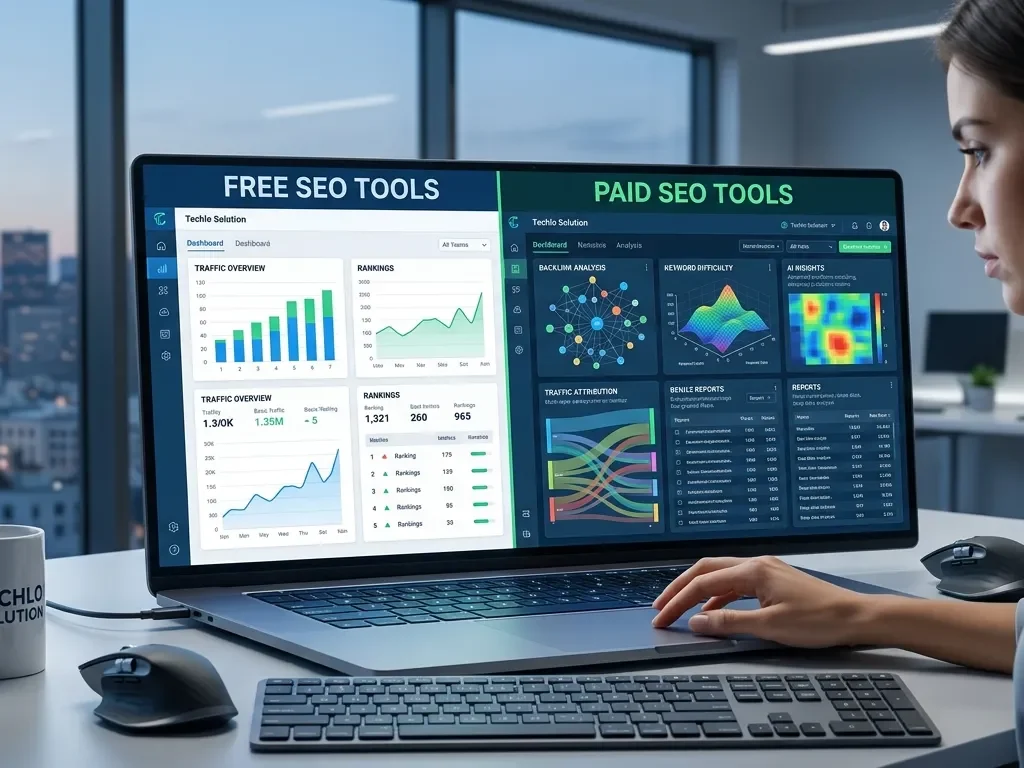
You just launched your first blog or small business website. You know SEO matters, but every time you search “SEO tools,” you see dozens of options with scary price tags. Should you stick to free tools or bite the bullet and pay for premium ones?
As a beginner in the United States, you’re not alone in this confusion. American searchers generate billions of queries daily, and Google rewards sites that use the right tools to stay competitive. The good news? You don’t have to immediately spend hundreds of dollars.
This guide breaks down free vs paid SEO tools for beginners in simple English. You’ll discover the best free SEO tools for beginners, when paid SEO tools become worth it, and a clear free vs paid SEO tools comparison. By the end, you’ll have a personalized beginner SEO tools list and the confidence to choose what fits your budget and goals—whether you’re running a local shop in Texas or a startup in California.
What Are SEO Tools and Why Beginners in the USA Need Them
SEO tools help you research keywords, audit your site, track rankings, and optimize content. In 2026, they make SEO faster and smarter, especially with AI features popping up everywhere.
For U.S. beginners, the right tools matter because Google dominates American searches. Local SEO elements—like appearing in “near me” results in New York or Los Angeles—require quick insights into what works. Free tools get you started, but paid ones scale as your site grows. The key is knowing which SEO tools should I use as a beginner without wasting money.
Your Complete Beginner SEO Tools List for 2026
Start here with this beginner SEO tools list:
- Free essentials: Google Search Console, Google Analytics 4, Google Keyword Planner
- Free helpers: Ubersuggest (limited), AnswerThePublic, GTmetrix
- Affordable paid upgrades (under $50/month): Ubersuggest paid, Mangools, SE Ranking
- Premium all-in-one (when ready): Ahrefs or SEMrush
This mix covers everything from keyword research to site audits without overwhelming you.
Best Free SEO Tools for Beginners
The best free SEO tools for beginners are powerful because they come straight from Google or offer generous limits.
Top free picks:
- Google Search Console (GSC): See exactly what queries bring traffic, fix crawl errors, and submit sitemaps. Essential for U.S. local SEO.
- Google Analytics 4: Track visitor behavior, bounce rates, and which pages perform best.
- Google Keyword Planner: Get search volume and ideas—perfect for U.S.-focused terms like “best coffee in Chicago.”
- Ubersuggest free tier: Basic keyword suggestions and site audits.
- GTmetrix: Check page speed for mobile users across the United States.
These tools have zero cost and deliver real data. Many beginners in the USA grow their first sites using only GSC and Analytics.
Limitations of free SEO tools: Daily limits on queries, no deep competitor backlink data, and no automated rank tracking for hundreds of keywords.
Paid SEO Tools Worth It for Beginners
Paid SEO tools worth it for beginners shine when you need more data or save time.
Best affordable options (great for small businesses and startups):
- Ubersuggest (~$29/month): Easy dashboard, AI writer, and lifetime deals available—ideal for budget-conscious U.S. beginners.
- Mangools (~$30/month): Beautiful interface with KWFinder for keywords and SERPChecker.
- SE Ranking (~$44/month): All-in-one with rank tracking and audits at a fair price.
Premium platforms (scale later):
- Ahrefs (starts ~$108–129/month): Best for backlinks and competitor research.
- SEMrush (starts ~$117–139/month): All-in-one with content tools and AI features.
- Moz Pro (starts ~$49/month for Starter): Beginner-friendly with Domain Authority metrics.
Benefits of paid SEO tools: Unlimited searches, historical data, full competitor analysis, automation, and detailed reports. In 2026, many include AI for content optimization—huge time-savers for busy U.S. creators.
Free vs Paid SEO Tools Comparison Guide 2026
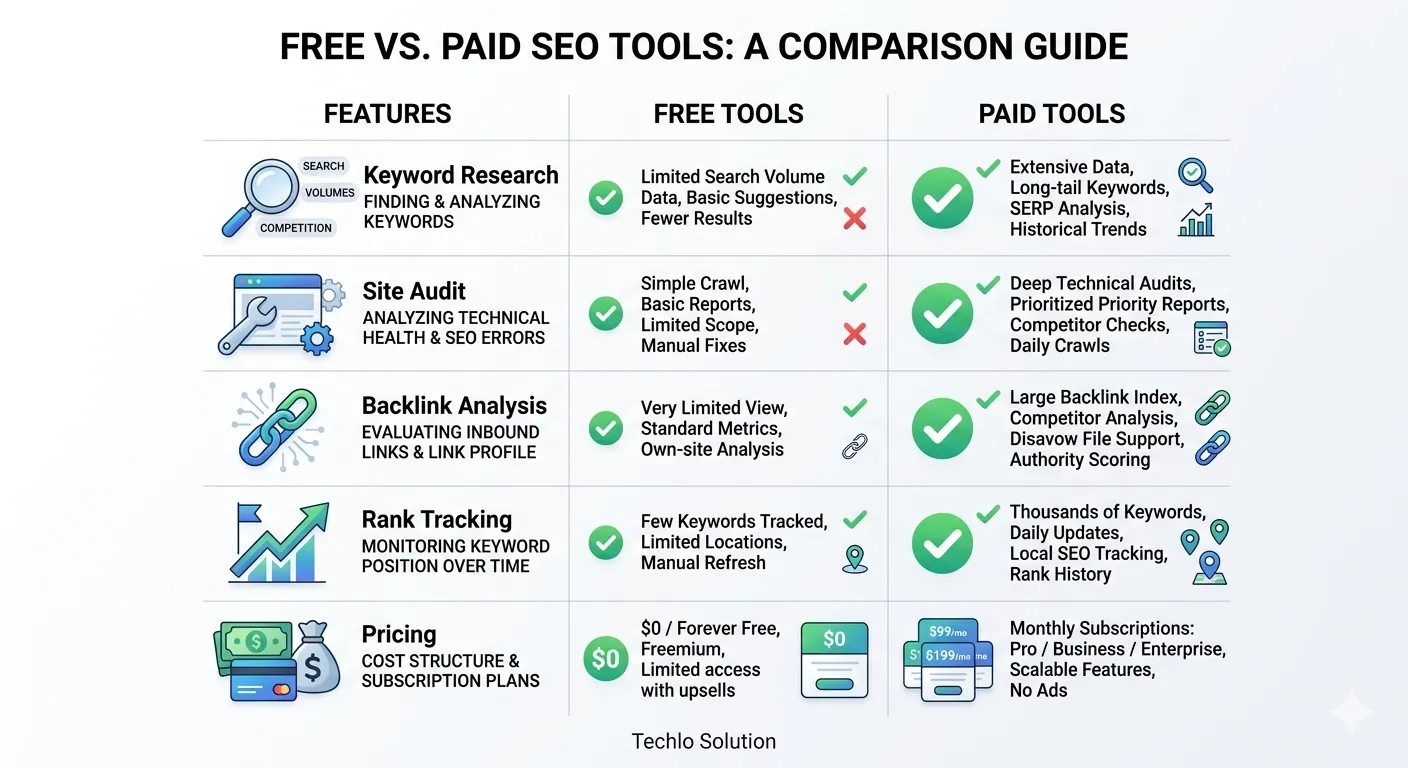
Here’s a clear free vs paid SEO tools comparison:
Category | Free Tools | Paid Tools (Affordable to Premium) | Winner for Beginners |
Keyword Research | Google Keyword Planner, Trends | Ubersuggest, Mangools, Ahrefs, SEMrush | Paid (deeper data) |
Site Audits | Screaming Frog (500 URLs), GSC | SE Ranking, Ahrefs Site Audit | Paid (full crawls) |
Backlink Analysis | Limited in GSC | Ahrefs, SEMrush (huge indexes) | Paid |
Rank Tracking | Manual in GSC | SE Ranking, Moz | Paid |
Content Optimization | Basic with Yoast | SurferSEO, SEMrush Writing Assistant | Paid (AI help) |
Cost | $0 | $29–$139/month | Free at start |
Best For U.S. Beginners | Learning basics | Scaling traffic fast | Start free, upgrade |
Data-driven insight: In 2026 tests, paid tools like Ahrefs and SEMrush help sites rank 2–3x faster for competitive U.S. keywords because of better competitor insights.
Free vs. Paid SEO Tools for Researching Keywords
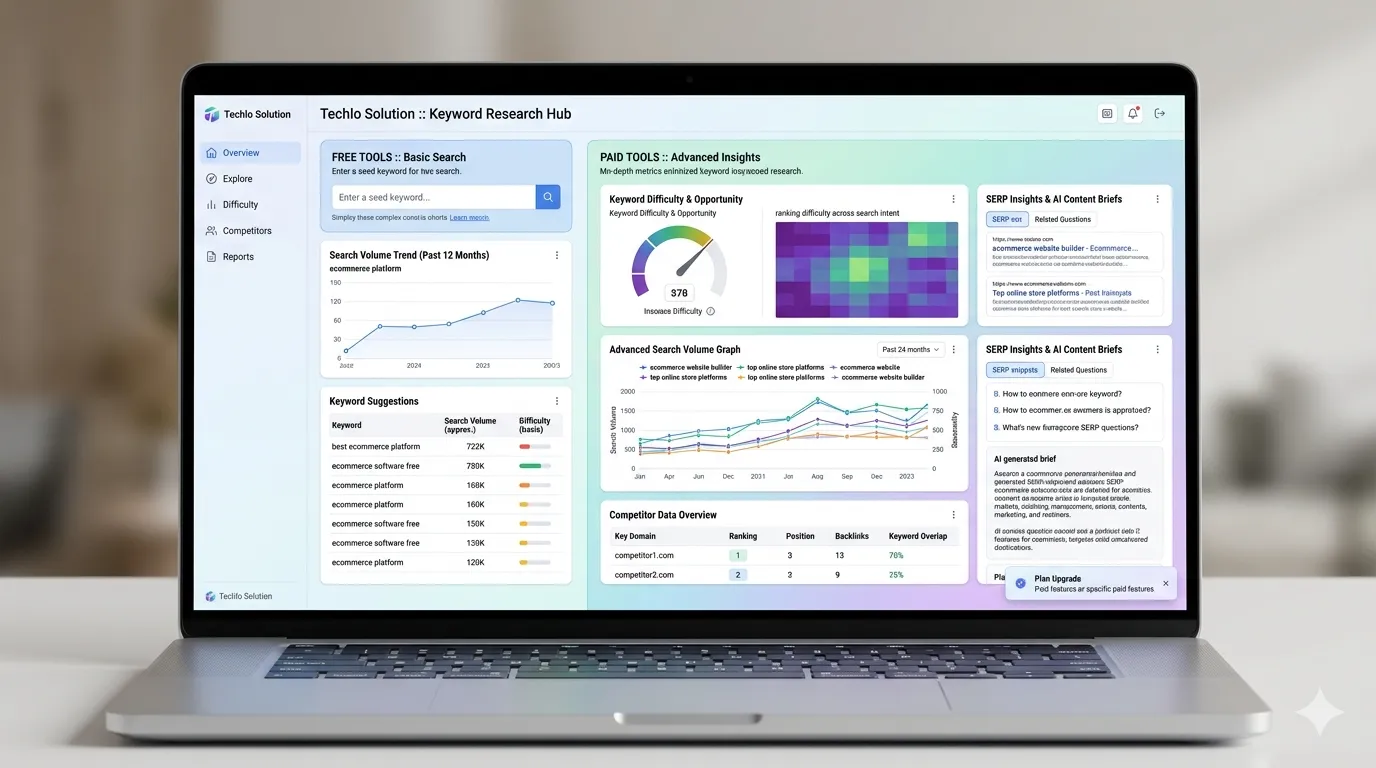
SEO tools for keyword research free vs paid is where the biggest difference shows.
Free options give volume and basic ideas. Paid tools add difficulty scores, search intent, and “keyword gap” analysis (what competitors rank for that you don’t).
Actionable tip: Start with Google Keyword Planner for U.S. local terms. When you outgrow it, switch to Mangools KWFinder—it’s affordable and beginner-friendly.
Technical SEO Tools Free and Paid
Technical fixes matter for U.S. sites that need fast mobile performance.
- Free: Google PageSpeed Insights, GSC (crawl errors), Screaming Frog (limited).
- Paid: Ahrefs Site Audit or SE Ranking—full reports with fix suggestions.
Cheap SEO tools for startups: SE Ranking offers excellent technical audits under $50/month.
On-Page SEO Tools for Beginners
On-page SEO tools for beginners help optimize titles, meta descriptions, and content.
Free: Yoast SEO or Rank Math (WordPress plugins).
Paid: SEMrush On-Page SEO Checker or SurferSEO—AI scores your content against top-ranking pages.
SEO Audit Tools Free vs Paid
SEO audit tools free vs paid:
Free versions spot basic issues. Paid tools crawl your entire site, flag duplicate content, and prioritize fixes with step-by-step guides.
For small websites, free + one affordable paid audit tool is enough in 2026.
SEO Tools Comparison Guide 2026: Pricing and Features
SEO tools pricing comparison (U.S. dollars, 2026 rates):
- Ubersuggest: ~$29/month – great entry paid
- Mangools: ~$30/month – beautiful UI
- Moz Pro Starter: ~$49/month
- SE Ranking: ~$44–52/month
- Ahrefs Lite: ~$108–129/month
- SEMrush Pro: ~$117–139/month
Affordable SEO tools for small businesses under $50/month deliver 80% of what big tools offer for most beginners.
All-in-One SEO Platforms and SEO Automation Tools
All-in-one SEO platforms like SEMrush or Ahrefs combine everything. SEO automation tools inside them save hours on reporting and tracking.
For beginners, start simple—don’t jump to automation until you understand the basics.
SEO Reporting Tools for Beginners and Competitor Analysis SEO Tools
Paid tools excel at competitor analysis SEO tools and clean SEO reporting tools for beginners. Export professional PDFs to show progress to clients or bosses in the USA.
SEO Content Optimization Tools SEO
Modern paid tools include content optimization tools SEO with AI suggestions. Free alternatives use ChatGPT prompts, but paid ones are more accurate.
Best SEO Software for Beginners USA
The best SEO software for beginners USA in 2026 balances cost and power: Google free tools + one affordable paid platform like Ubersuggest or Mangools. They support English searches and U.S. local data perfectly.
How to Choose: Free SEO Tools vs Premium Tools Benefits
Free SEO tools vs premium tools benefits summary:
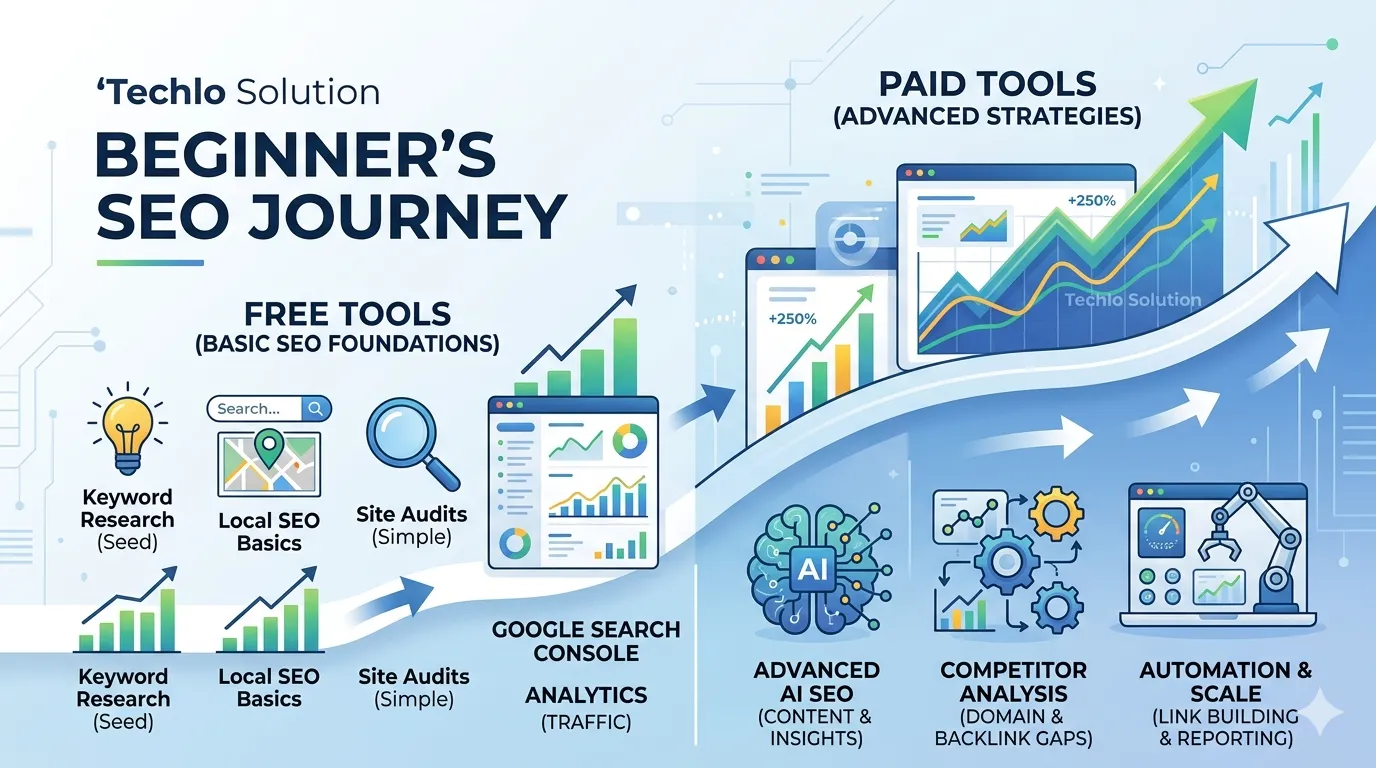
- Choose free if: You have one small site, tight budget, or are just learning.
- Upgrade to paid when: You need competitor data, rank tracking, or faster growth.
Most successful U.S. beginners start free for 3–6 months, then add one paid tool.
Strong Conclusion: Start Smart with Free vs Paid SEO Tools for Beginners
You now have a complete picture of free vs paid SEO tools for beginners. The smartest move? Begin with Google’s free tools today—they’re trustworthy and give real U.S. search data. Add an affordable paid option only when you feel limited.
Open Google Search Console right now, connect your site, and run your first audit. Track one keyword this month. You’ll see progress without spending a dime.
Ready to grow? Share in the comments: Are you team free, team paid, or a smart mix? Or pick one tool from this guide and try it this week. Your future rankings in the United States are waiting.
My Real-World Experience Learning Digital Marketing
When I first started learning digital marketing, terms like SEO, Google Ads, and content marketing felt overwhelming. I honestly thought this field was only for tech experts, but with consistent practice, I realized that beginners can learn digital marketing step by step. In the beginning, I made the mistake of trying to learn everything at once, which only created confusion. Once I focused on one skill at a time, especially SEO basics, my understanding improved significantly. While learning SEO, I discovered that simply adding keywords is not enough. I saw a gradual increase in organic traffic from the US as I began creating material to actually assist consumers. Many students enter digital marketing expecting quick income, but based on my experience, focusing on learning and real practice first always leads to better long-term results. Using tools like Google Search Console helped me understand what people are actually searching for. At first, it felt confusing, but regular use made it easier to analyze real user behavior. At one point, I focused too much on writing for search engines instead of real readers. Once I shifted my approach to helping people first, my content performance improved. If you are a student or beginner, digital marketing can be a realistic and future-proof career, as long as you stay patient and trust the learning process instead of chasing shortcuts.
That hands-on start with free tools first taught me the real value of each option—and it will guide you too.
CTA: Call-to-Action Click Here
Today, optimize your Google Business Profile, collect 10 new reviews, and launch one local ad campaign. Small actions lead to big growth.
Your competitors are already online — it’s time you are too.
Authoritative Resources for Free vs Paid SEO Tools (2026 Guide)
Understanding the difference between free and paid SEO tools is essential for beginners and professionals. These trusted industry resources from Google, Moz, Ahrefs, SEMrush, and HubSpot will help you choose the right SEO tools for better rankings and website growth in 2026.
- Google SEO Starter Guide – Official Google guide explaining how search works, indexing, crawling, and SEO fundamentals.
- Moz Beginner’s SEO Guide – Learn SEO basics including keyword research, site optimization, and ranking signals.
- HubSpot Marketing & SEO Resources – Data-driven marketing insights, SEO strategies, and digital growth guides.
- SEMrush SEO Blog – Advanced SEO strategies, keyword research techniques, and competitor analysis insights.
- Ahrefs SEO Blog – Deep insights on backlink analysis, keyword research, and SEO case studies.
FAQs About Free vs Paid SEO Tools for Beginners
What are the best free SEO tools for beginners in 2026?
Google Search Console, Google Analytics 4, and Google Keyword Planner are the top free choices. They provide real data with zero cost.
Are paid SEO tools worth it for beginners?
Yes—once you outgrow free limits. Affordable options like Ubersuggest ($29/month) or Mangools deliver fast results for small U.S. sites.
What is the main difference in free vs paid SEO tools comparison?
Free tools have limits on data and features. Paid tools offer deeper competitor insights, automation, and unlimited use.
Which affordable SEO tools for small businesses should I pick?
Start with Ubersuggest or SE Ranking. Both cost under $50/month and cover keyword research, audits, and tracking.
Do I need all-in-one SEO platforms as a beginner?
No. Use free Google tools first, then add one simple paid tool. All-in-one platforms like SEMrush are better after you have some experience.
How do SEO tools help with local SEO in the United States?
Tools like Google Search Console and paid rank trackers show performance in specific cities or states, helping you optimize for “near me” searches.
Can free SEO tools replace paid ones completely?
For very small sites or learning phases, yes. Most growing U.S. beginners eventually add one paid tool for competitive edge.
✍️ Author Bio (E-E-A-T Fix)
Written by Techlo Solution
Digital Marketing Learner & SEO Practitioner
Helping beginners and students understand online marketing in simple words.